In this guide 7 sections
Read-aloud audio is available in supported browsers.
What counts as a YouTube Short?
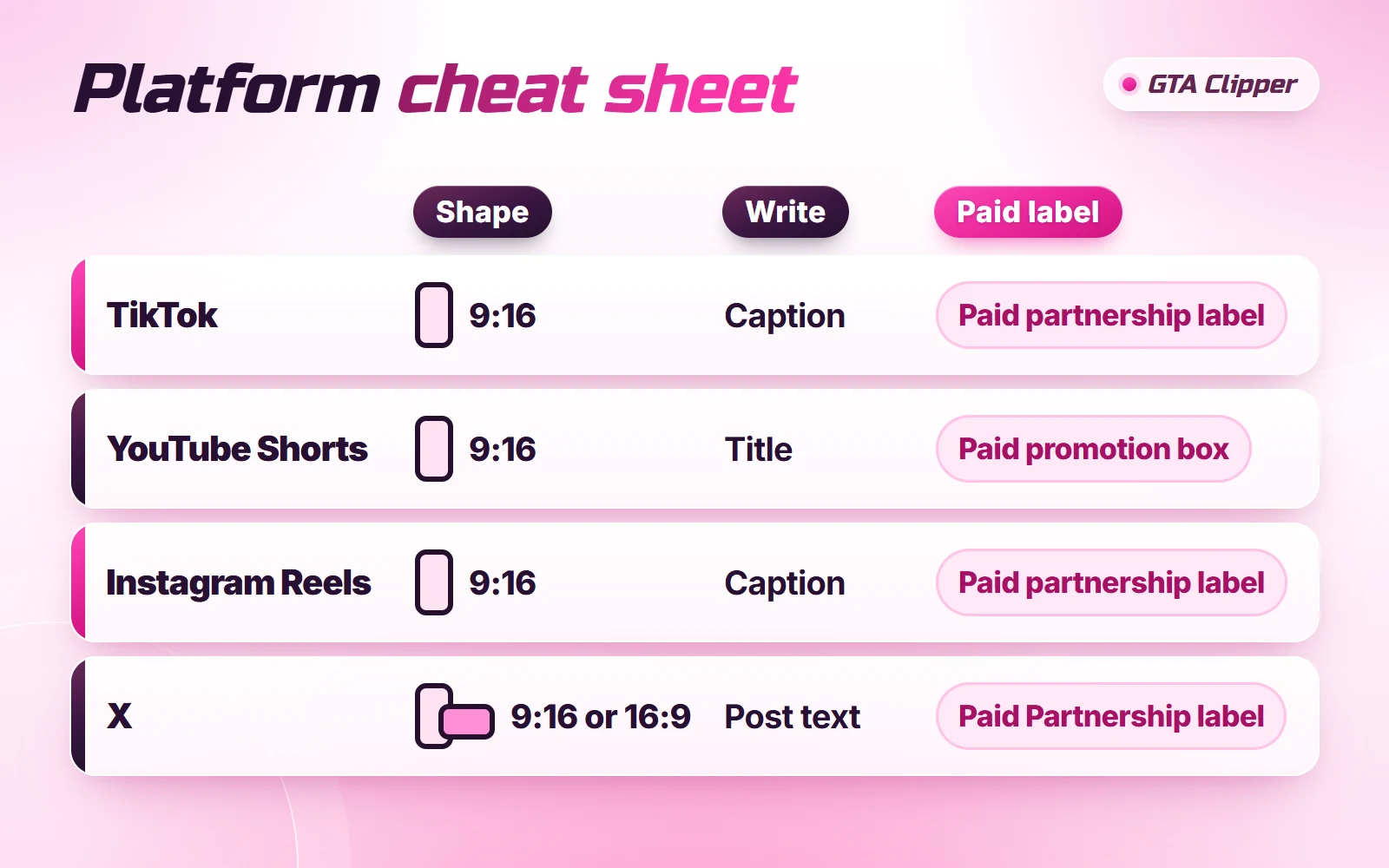
A Short is a vertical video of up to three minutes. YouTube's help page on creating Shorts says you can upload one from your phone or computer, at up to 1080p.
For GTA 6 clips, that means:
- Export vertical, 9:16, at 1080 × 1920.
- A wide 16:9 file goes up as a normal video, not a Short.
- Three minutes is the limit, not the goal. Aim for 15 to 40 seconds, which is where most clips that do well sit.
GTA 6 is out on PS5 and Xbox Series X|S from November 19, 2026. If you are new to paid clips, start with what GTA 6 clipping is. This page is only about what is different on YouTube.
Where do GTA 6 Shorts show up?
YouTube lists these places:
- The Shorts feed, which opens from the Shorts tab in the app.
- Search results.
- The YouTube home page.
- Your channel page.
- The Subscriptions tab of people who subscribe to you.
On the home page and in search, Shorts often sit together in a row. People call that row the Shorts shelf.
Search is the big difference from TikTok. On YouTube, people type what they want to watch. Someone who searches "GTA 6 police chase" can find your Short weeks after you posted it. That is why the title matters so much here.
How do you write a title for a GTA 6 Short?
YouTube allows up to 100 characters in a Short's title. Use far fewer. Write a title someone could have typed into the search box.
Three rules:
- Put "GTA 6" and the kind of moment in the first few words.
- Say what happens, not how you feel about it.
- Keep it true. No fake leaks, and nothing that gives away the story.
| Weak title | Better title |
|---|---|
| OMG watch this | GTA 6 police chase goes wrong in 10 seconds |
| Part 47 | GTA 6 stunt jump I had no right to land |
| GTA 6 SECRET LEAK (on normal gameplay) | GTA 6 funny NPC moment caught on stream |
| #gta6 #fyp #viral | GTA 6 crash with the worst timing |
Hashtags go after the words, not instead of them. Use the tags the brief requires, then one or two of your own.
How do you link a Short to a long video?
YouTube lets you attach a related video to a Short. Viewers see a link under your channel handle in the Shorts player. It can point to a video, another Short or a live stream.
The steps, from YouTube's help page:
- Open YouTube Studio and go to Content.
- Click the Short you want to edit.
- Pick a related video from your channel.
- Save.
There are two limits. YouTube says the feature needs advanced feature access. And the related video has to be public or unlisted, on your own channel.
So this helps streamers and YouTubers most. Cut the best 30 seconds of a long GTA 6 video, post it as a Short, and link the full video. Shorts viewers are then one tap from the long version. That idea sits behind clipping campaigns for YouTubers.
If you clip someone else's stream, you cannot link their video this way. Name them in the title or description as the brief asks. Our guide on how to clip GTA 6 streams covers credit and permission.
How do you mark a paid Short on YouTube?
YouTube says you have to tell it when a video includes paid promotion. You do that in the video details, under Paid promotion. YouTube then adds a disclosure label at the start of the video.
You can set it at upload or later in YouTube Studio. Set it at upload, so the label is there from the first view.
That box is not the whole job. Add the wording your brief asks for too, such as "#ad". If the brief does not say where, start the title with it. The title is the text people see in the Shorts feed. The wording rules are in do GTA 6 clips need #ad.
Which views count on a Short?
Since March 31, 2025, YouTube counts a view every time a Short starts to play or replays. There is no minimum watch time. The older, stricter number still exists in YouTube Analytics, where it is called engaged views.
So you will see two numbers:
- Views. The public count on the Short.
- Engaged views. People who chose to keep watching.
Use engaged views to judge your own edits. If views are high and engaged views are low, people are swiping away at the start. Fix the first second.
A campaign pays on the views it counts for approved clips, up to the cap per clip. For example, 80,000 views at $0.50 per 1,000 is $40 before fees. See how clipping pay is worked out.
How do you post and submit a Short for a campaign?
- Check that the brief lists YouTube Shorts.
- Upload the vertical file in the YouTube app or YouTube Studio.
- Add the title, and set Paid promotion in the details.
- Publish it as public, from your own channel.
- Submit the link. On Content Rewards you have 30 minutes after posting.
- Do not change the title or delete the Short afterwards. Edits after submitting are a common reason for rejection.
Check the footage and the music before step 2. Our other guide explains which GTA 6 footage is allowed. The whole process, from making accounts to payout, is in our guide on how to make money clipping GTA 6.
Read next: How to Clip GTA 6 Streams (Twitch, Kick, YouTube) · Do GTA 6 Clips Need #ad? Disclosure Rules