In this guide 7 sections
Read-aloud audio is available in supported browsers.
What is different about posting GTA 6 clips as Reels?
The clip can be the same vertical file you post elsewhere. What changes on Instagram is everything around it:
- The cover. Every Reel leaves a cover on your profile grid.
- The caption. Only the start shows. The rest hides behind "more".
- The paid label. Instagram's label tags the brand, and the brand has to approve the tag.
This page covers those three. For the basics of paid clips, read the main GTA 6 clipping guide. The game itself is out November 19, 2026 on PS5 and Xbox Series X|S.
What size should a GTA 6 Reel be?
Instagram's help page on Reel sizes says a Reel can have an aspect ratio between 1.91:1 and 9:16. It asks for at least 30 frames per second and a resolution of at least 720 pixels.
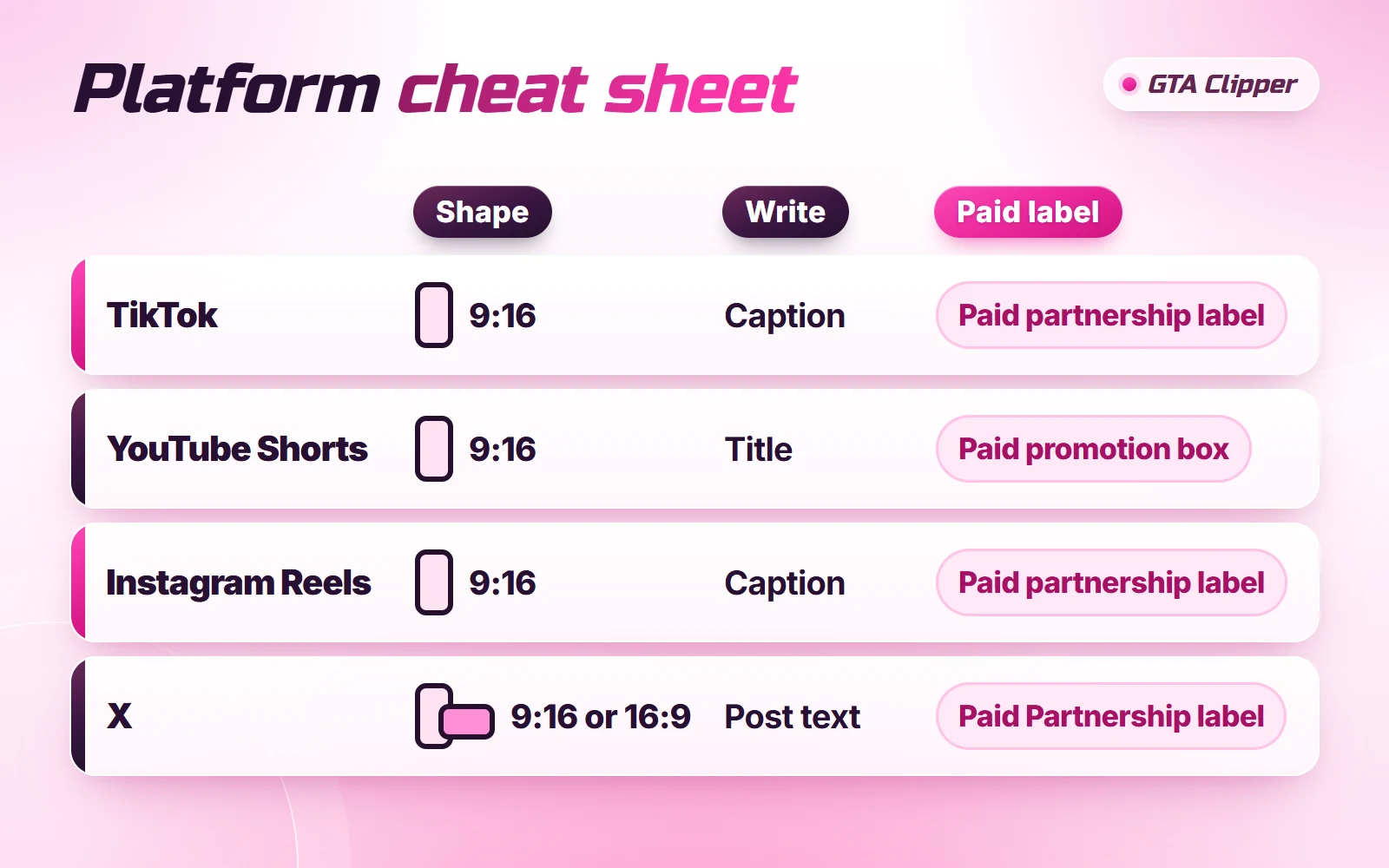
Use 9:16 at 1080 × 1920. It fills the phone screen, and TikTok and Shorts take the same file. If your footage is wide gameplay, our guide on editing GTA 6 clips shows how to crop it.
How do you pick a cover for a GTA 6 Reel?
The cover is the still picture that stands for your Reel on your profile. Pick it yourself. Do not leave it to chance.
Instagram recommends a cover of 420 × 654 pixels, a ratio of 1:1.55. Your grid shows a cropped version, so the edges can get cut off. Keep the subject and any words in the middle.
| Cover choice | Does it work? |
|---|---|
| The car in mid-air, sharp and centered | Yes. One look tells you what the clip is. |
| A blurred frame from the middle of a crash | No. Nobody can read it at small size. |
| Two to four big words in the center | Yes. They still read on the grid. |
| A full sentence along the bottom edge | No. The crop cuts it off. |
| "LEAKED" on normal gameplay | No. It is not true, so do not use it. |
Choose the cover before you post. Instagram's help page says a cover photo cannot be edited after upload. On Content Rewards, editing a post after you submit it is also a common reason for rejection. So the cover you post with is the cover you keep.
How do you keep your grid looking good?
Someone who likes one Reel may tap your name next. Your grid is what they see. If the covers look like one series, they know what they get by following.
- Use the same font and text size on every cover.
- Put the words in the same spot each time.
- Stick to one or two colors.
- Keep the page about GTA 6 clips. Random posts break the pattern.
Batching helps here. Make a week of covers in one sitting so they match. Our GTA 6 content calendar has a sample week you can copy.
What should a Reel caption say?
Only the first line or so shows under a Reel. People have to tap "more" for the rest. So the first words carry the weight.
Use this order:
- The paid disclosure comes first. The FTC says it should be visible without tapping "more".
- One plain line about the moment.
- The tags the brief asks for, then two or three of your own.
An example: "#ad He had one job, stay on the road. #gta6 #gta6clips"
How do you add the paid partnership label to a Reel?
Instagram's rules say that when a brand pays you to post, you must use the paid partnership label and tag that brand. The label reads "Paid partnership with" and then the brand's name.
Here is how it works, from Instagram's help page on the label:
- Turn on branded content tools in your account. The label is not available until you do.
- When you share the Reel, add the paid partnership label and tag the brand's account.
- The first time you tag a brand, Instagram sends that brand a request.
- Until the brand approves, the label shows without the brand's name. If the brand says no, the label is removed.
The brand's account has to be a professional account. So ask early which account to tag. The brief should name it.
The label is only part of it. The words in the caption matter too. See when GTA 6 clips need #ad.
How do you submit a Reel to a campaign?
- Check that the brief lists Instagram Reels.
- Post from your own account with the cover, caption and label already set.
- Copy the Reel's link and submit it. On Content Rewards the limit is 30 minutes after posting.
- Leave the Reel as it is while it is reviewed and while it earns.
Most campaigns pay per 1,000 views on approved clips, up to a cap per clip. For example, 20,000 views at $0.75 per 1,000 is $15 before fees. The sums are in GTA 6 clipping pay and caps.
The steps around posting, from Discord to payout, are in our guide on how to join a GTA 6 clipping campaign. If you have not started yet, see how to become a GTA 6 clipper.
Read next: How to Edit GTA 6 Clips: A Simple Workflow · Do GTA 6 Clips Need #ad? Disclosure Rules