In this guide 7 sections
Read-aloud audio is available in supported browsers.
How do you record GTA 6 clips on a console?
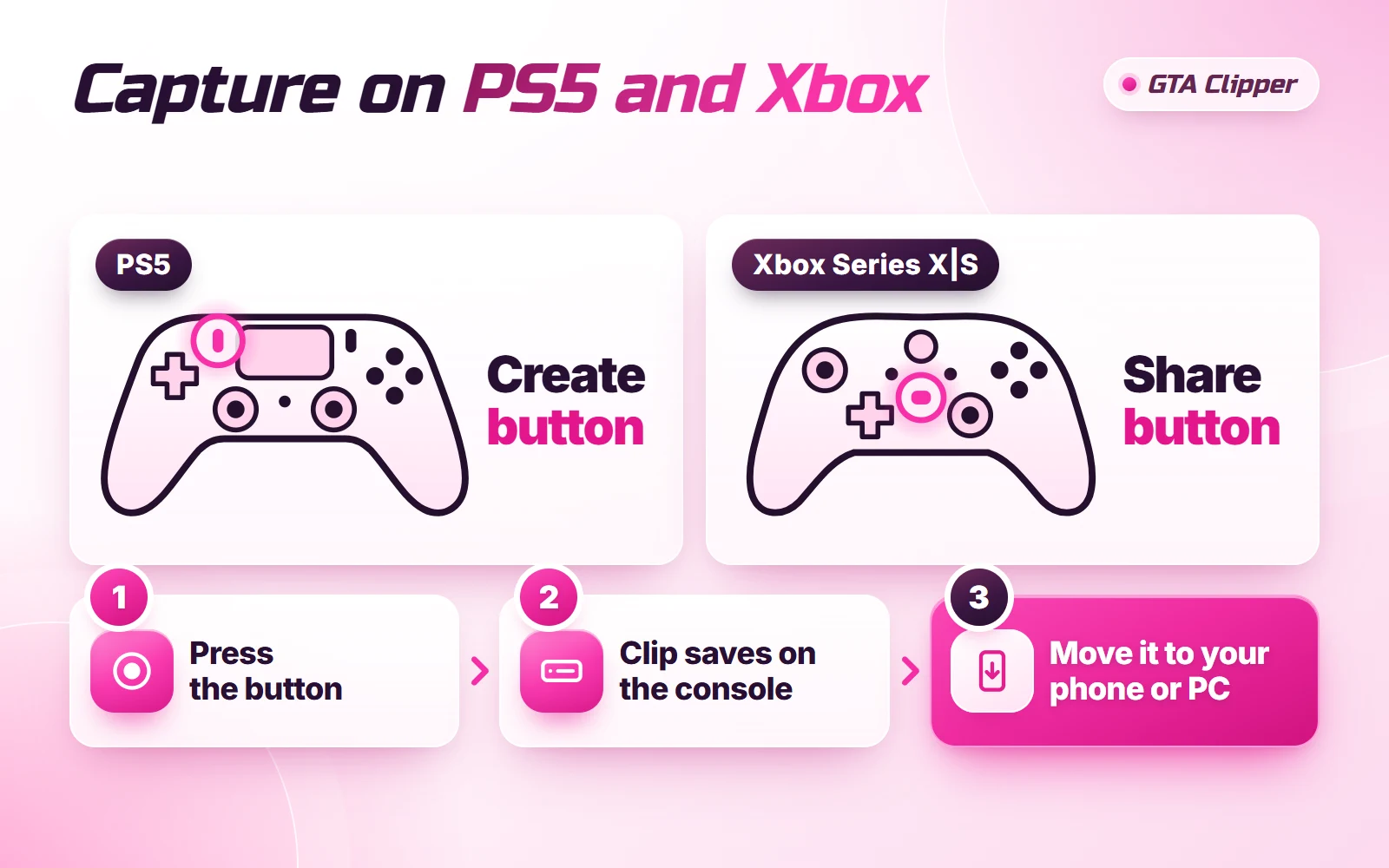
Both consoles record your play in the background, so you save a moment right after it happens. On PS5, press the Create button and choose Save Recent Gameplay. On Xbox Series X|S, press the Xbox button and then X, or press and hold the Share button.
GTA 6 has a release date of November 19, 2026, and it is on PS5 and Xbox Series X|S only. No PC version has been announced, so console capture is how you get footage of your own play. This page covers capture and moving the file. The wider picture is in how paid GTA 6 clips work.
| What you want | PS5 | Xbox |
|---|---|---|
| Save what just happened | Create button, then Save Recent Gameplay | Xbox button, then X |
| Record what happens next | Create button, then Start New Recording | Guide, Capture & share, Start recording |
| Longest look-back | The last hour | The last 2 minutes |
| Phone app for transfers | PlayStation App | Xbox app |
How do you save a clip on PS5?
These steps follow Sony's PS5 capture help page.
- Press the Create button on your controller. The create menu opens.
- Choose Save Recent Gameplay to keep something that just happened. You can save anything from the last 15 seconds to the last hour.
- Choose Start New Recording before a moment you have planned, like a jump you are about to try. A recording can run for up to 1 hour.
- To stop, press Create again and choose Stop Recording.
Your clips land in Media Gallery, which you open from your games home. Sony also says some scenes are blocked from capture, so they will be missing from your clip.
How do you save a clip on Xbox Series X|S?
These steps follow the Xbox capture help page.
- Press the Xbox button to open the guide, then press X. That saves the last 30 seconds.
- Want more? In the guide, press the View button and pick a longer stretch, up to the last 2 minutes.
- To record what comes next, open the guide and choose Capture & share, then Start recording.
- To stop, open the guide and press X.
Xbox says a recording can last up to 10 minutes on the console's own storage, or up to 1 hour on an external drive. The real number depends on your clip resolution and free space.
The Share button is the shortcut. One press takes a screenshot. Press and hold records a game clip. You can change what each press does in the console's Accessories app.
How do you get a PS5 clip onto your phone or PC?
To your phone: use the PlayStation App.
- Link your PS5 to the PlayStation App.
- In the app, open Library, then Captures, and tap Enable. From then on, new clips upload by themselves.
- Open a clip in the app and tap Download to save it to your phone.
Sony lists a few catches. Only clips under 3 minutes upload. 4K clips do not upload, and the top size is 1920x1080. Clips stay in the app for 14 days. Clips you made before you turned the feature on will not show up. Your PS5 also has to be in rest mode with Stay Connected to the Internet switched on.
To your PC: plug a USB drive into the PS5. In Media Gallery, select the clip, choose More (the three dots), then Copy to USB Drive.
How do you get an Xbox clip onto your phone or PC?
To your phone: Xbox uploads captures to the Xbox network automatically, unless you have turned that off. That lets the Xbox app reach them.
- On the console, open the guide and go to Capture & share, then Recent captures.
- Select the clip and choose Mobile. Your phone gets a notification from the Xbox app.
- In the app, open My Library, then Captures. Pick the clip, tap Share and choose where it goes.
To your PC: capture straight to an external drive. Xbox asks for a USB 3.0 drive formatted as NTFS, and a drive already set up for Xbox games will not work. Open the guide and go to Profile & system, Settings, Preferences, Capture & share. Then pick the drive under Capture location.
There is one trade-off. Clips saved to an external drive cannot be shared on the Xbox network, so the phone route is closed for those.
Which capture settings should you check first?
- Resolution. A finished short clip is 1080 × 1920, so a 1080p capture is fine for most clips. 4K gives you more room to crop, but the files are bigger and PS5 will not send them to the app.
- Your microphone. On PS5, the audio sharing settings decide if your mic and party chat end up in the clip. Ask the others before you include their voices.
- Pop-ups. Xbox warns that on-screen notifications can be captured too. Watch every clip once before you post it.
- Length. Save more than you need. You can cut ten seconds off later, but you can't add them back.
On PS5, these sit under Settings, Captures and Broadcasts, Captures. On Xbox, they are in the Capture & share menu named above.
What should you do with the footage next?
Recording your own play does not mean a campaign will accept the clip. A paid campaign is commercial, so its brief decides which footage is allowed. Read the rules for GTA 6 footage before you post anything with story scenes in it.
The raw clip also needs work. It is wide, and short-form video is vertical. The next job is to edit your GTA 6 clips into a 9:16 cut with a clear start and end.
No console yet? You can clip GTA 6 streams instead, as long as the streamer or the campaign allows it.
When you have a few clips you like, look at what becoming a GTA 6 clipper involves. Then follow the steps to earn money from GTA 6 clips.
Read next: GTA 6 Clip Ideas: 25 Moments Worth Clipping · How to Edit GTA 6 Clips: A Simple Workflow · How to Clip GTA 6 Streams (Twitch, Kick, YouTube)