In this guide 9 sections
Read-aloud audio is available in supported browsers.
What makes a GTA 6 clip work on TikTok?
TikTok shows your clip to people who have never heard of you. They decide almost at once whether to stay or swipe. So a GTA 6 clip has three jobs:
- Show the action right away.
- Make sense with the sound off.
- End before it drags.
GTA 6 is out November 19, 2026 on PS5 and Xbox Series X|S, so there is no shortage of moments. This page covers the TikTok side only. If paid clips are new to you, read how GTA 6 clipping works first.
How do you hook viewers in the first second?
Start on the moment, not before it. Cut the drive up to the jump. Cut the menu. Cut the "wait for it".
Good first frames look like this:
- A chase that is already at full speed.
- A car that is already in the air.
- The half second before a crash.
- An NPC doing something odd, right as it starts.
- A streamer's face as the reaction begins.
Then add one short line of text on screen that gives people a reason to stay. Keep it true. Never call a clip a leak or a secret when it is normal gameplay.
| Weak opening | Stronger opening |
|---|---|
| Ten seconds of driving before anything happens | The car is already off the ramp |
| "Wait for the end" | "He did not see the truck" |
| A title card with your logo | The moment itself, with one line of text |
| "GTA 6 leak" on normal gameplay | "This landing should not have worked" |
Where should captions go on a TikTok clip?
TikTok puts its buttons down the right side and your caption along the bottom. Text placed there gets covered. Keep your words in the middle of the screen, a little above center.
- Use big, bold text that reads on a small phone.
- Show three to five words at a time.
- Caption any speech, and add one line that explains the moment.
- Watch the clip on your own phone before you post.

The full edit, from first cut to export, is in our guide on how to edit GTA 6 clips.
Which sounds can you use on a paid TikTok clip?
A paid clip is not a personal post, and TikTok treats music differently for it. TikTok says posts that promote a brand, product or service should use music from its Commercial Music Library. Those tracks are cleared for commercial use. It also says its licenses for other music do not cover that kind of use.
So for a campaign clip, pick one of these:
- The game's own sound and your voice.
- A track from the Commercial Music Library.
- Whatever the campaign brief tells you to use.
A trending song is a risk on a paid clip, even when everyone else is using it. There is more on this in our GTA 6 footage and music rules.
What should the caption under the video say?
Keep it short. People read the text on the video first and the caption second.
A good caption has three parts, in this order:
- The disclosure, if you are paid. For example "#ad".
- One plain line about the moment, such as "Four cop cars, one very bad turn."
- Tags. The ones the brief requires come first, then two or three that describe the clip.
How do you add the paid partnership label on TikTok?
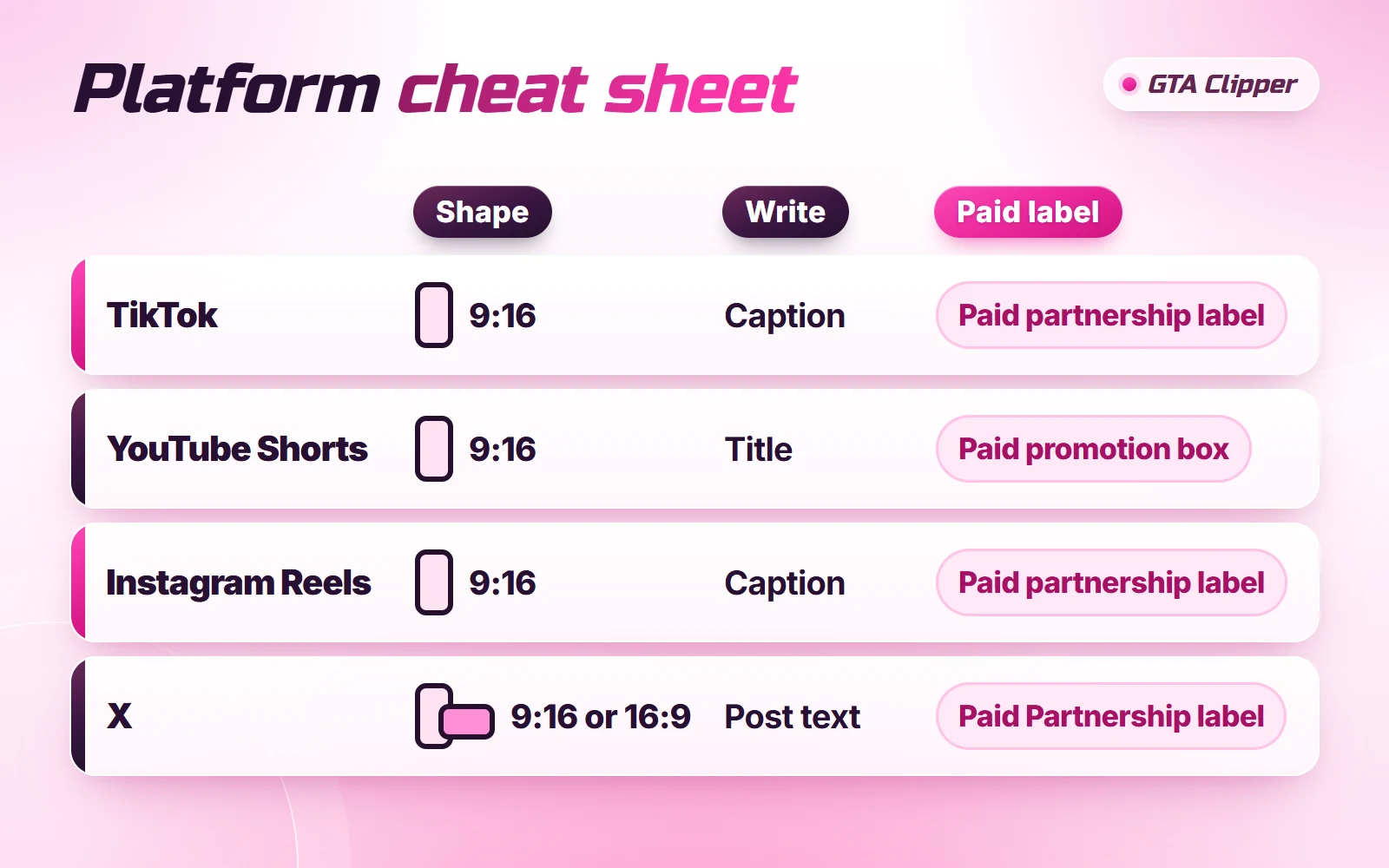
TikTok says you must turn on its content disclosure setting when you promote a brand for payment. This is the path in the app, from TikTok's help page on promoting a brand:
- On the post screen, tap Content disclosure and ads. It may sit under More options.
- Turn on Disclose commercial content.
- Choose Branded content.
- Save, then post.
The clip then carries a "Paid partnership" label. Two things to know:
- TikTok says turning the setting on does not change how your post is shown in feeds.
- Once the post is live, the label cannot be changed. Set it before you post.
The label is one half. The words in your caption are the other. See when a clip needs #ad for wording that passes review.
How do you post a GTA 6 clip on TikTok for a campaign?
- Check the brief. It has to list TikTok as a platform that counts.
- Export the clip as vertical video, 9:16, 1080 × 1920.
- Add the caption and turn on the paid label.
- Post from your own account.
- Send the link to the campaign straight away. On Content Rewards you have 30 minutes from posting.
- Leave the post alone. Edits and deletions after you submit are a common reason clips get rejected.
Our step-by-step on joining a GTA 6 clipping campaign covers accounts, Discord and review.
How long should a GTA 6 TikTok clip be?
Most clips that do well are 15 to 40 seconds. One moment per clip is the rule. If a chase has two good parts, make two clips.
Before you export, watch it once and ask where you would swipe away. Cut that part.
How does a TikTok clip get paid?
TikTok does not pay you for a campaign clip. The campaign does. Most campaigns pay per 1,000 views on approved clips, up to a maximum per clip. The rate and the cap are in the brief.
A quick sum: 50,000 views at $1.00 per 1,000 is $50 before fees. Our guide to clipping pay per 1,000 views explains caps and fees.
GTA Clipper campaigns are hosted on Content Rewards. Check the open GTA 6 clipping campaigns to see what is running and which platforms each one counts.
Read next: How to Edit GTA 6 Clips: A Simple Workflow · Do GTA 6 Clips Need #ad? Disclosure Rules