GTA 6 Clipping Tool and AI Clip Maker
Follow the streamers you want to clip. The tool watches every stream live, finds the moments worth posting and makes each one into an upright clip with captions, a hook and the facecam. No editing, and no VOD links to paste.
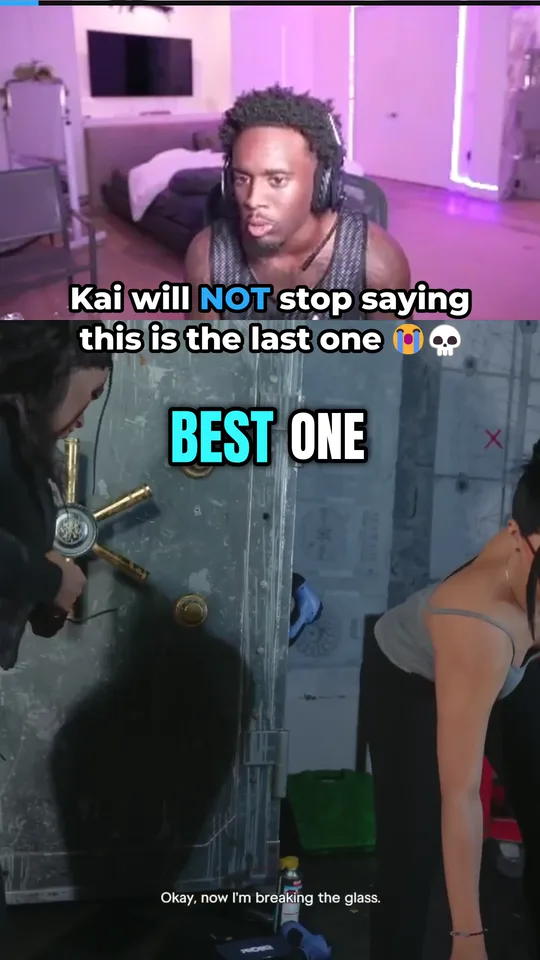
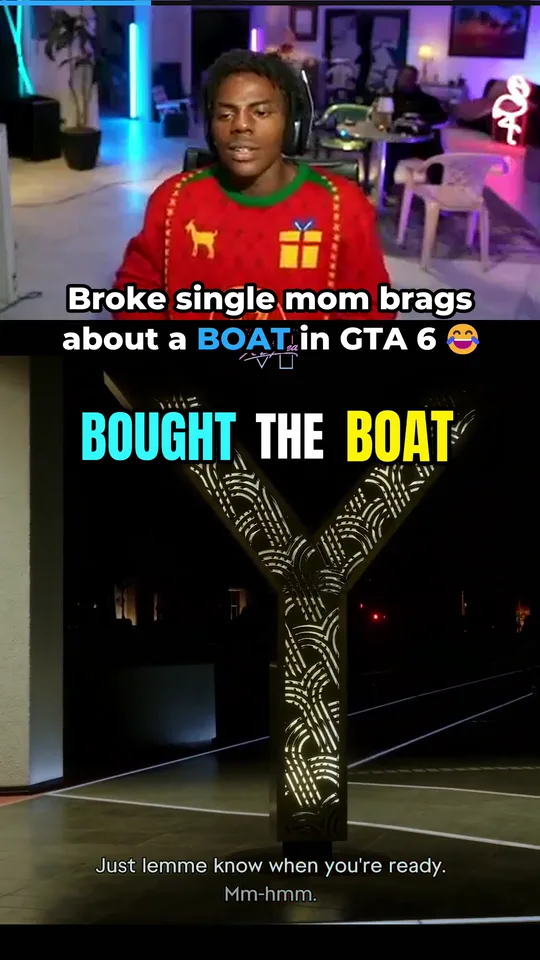
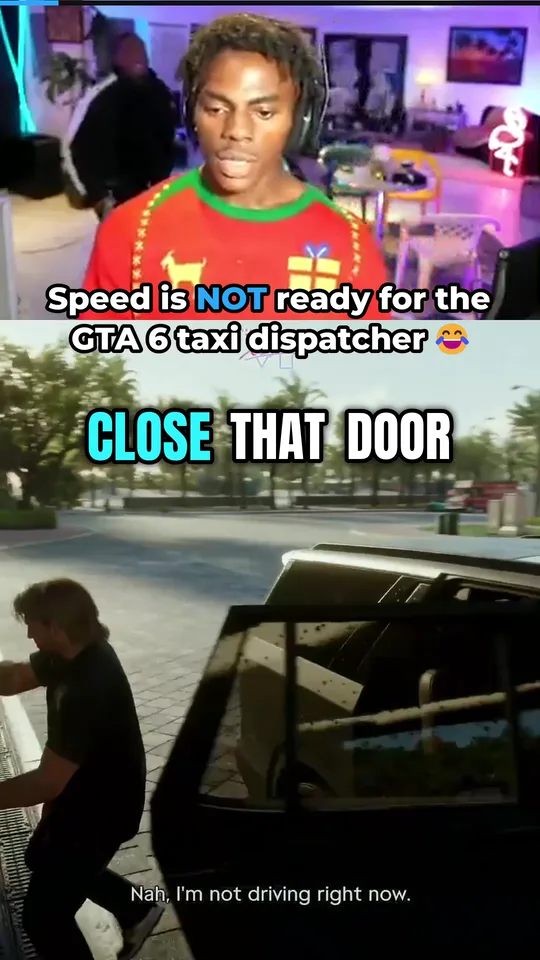
How to use the
GTA 6 clipping tool.
Set it up once. After that the clips arrive by themselves.
- Manual$15Automated$49Pro$99MAX$199
Create your account and pick a plan
It takes a minute. Manual is for streams and long videos you paste yourself, and the Automated plans watch streamers live for you. The clipping tool plans and prices page shows what each one gives.
- twitch.tv/your-streamer



 +47
Choose who to clip
Pick from the list of big streamers, or paste any Twitch, Kick or YouTube channel link. Your plan sets how many are watched at once: 1, 5 or 20.
Bold 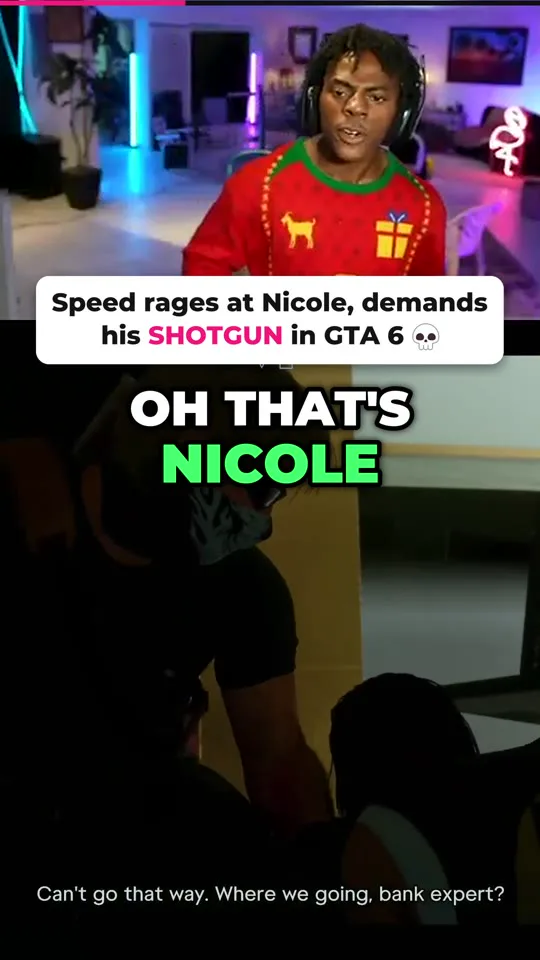
Clean 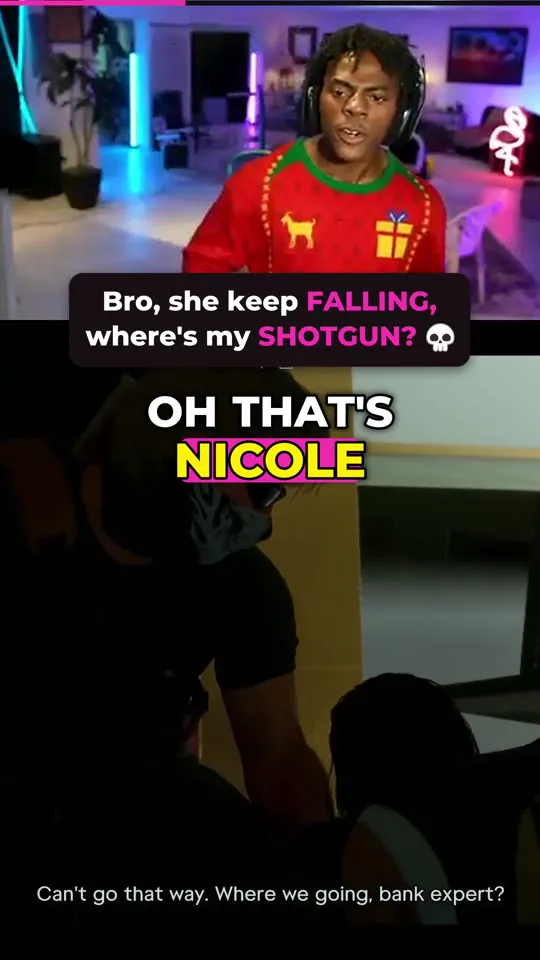
Box 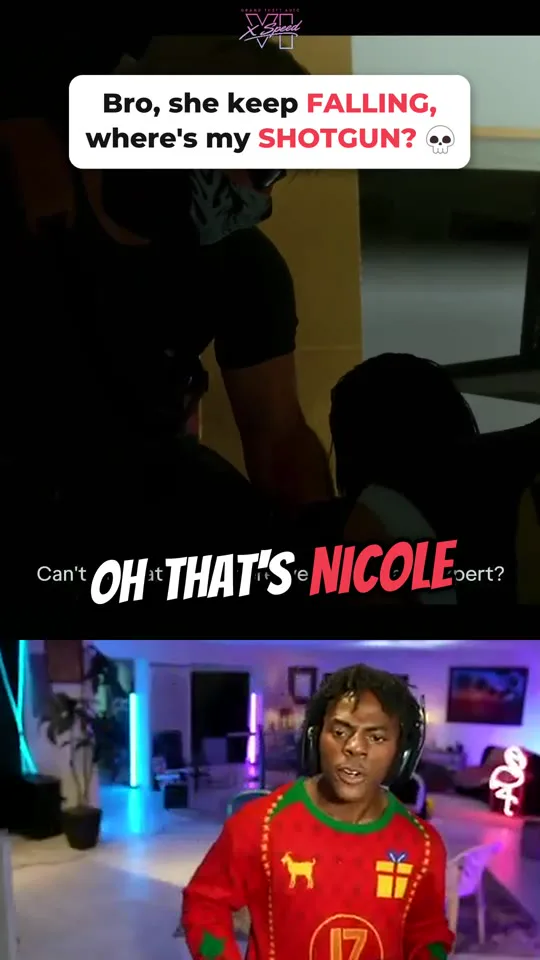
Comic Choose a look
There are ten looks, from captions word by word to just the hook on a bar. Each sets the captions, the hook and where the facecam sits. Every plan that watches streamers live can also make up to ten brand looks with your own colours and your name on every clip.
- Clips a day25How fast6 an hourWhen we find a momentMake the clipAsk me first
Set how many clips you want
Choose clips a day for your account and for each streamer, and how fast they may come. Clips can be made automatically, or wait for your yes.
 LIVE
 Kai Cenat

Let it watch
We check about once a minute whether your streamers are live. When one goes live, the whole stream is listened to and every moment is scored. You do not need to be online.
 Kai LOSES it over a Peter Parker pizza bikeCaption copied


Post your clips
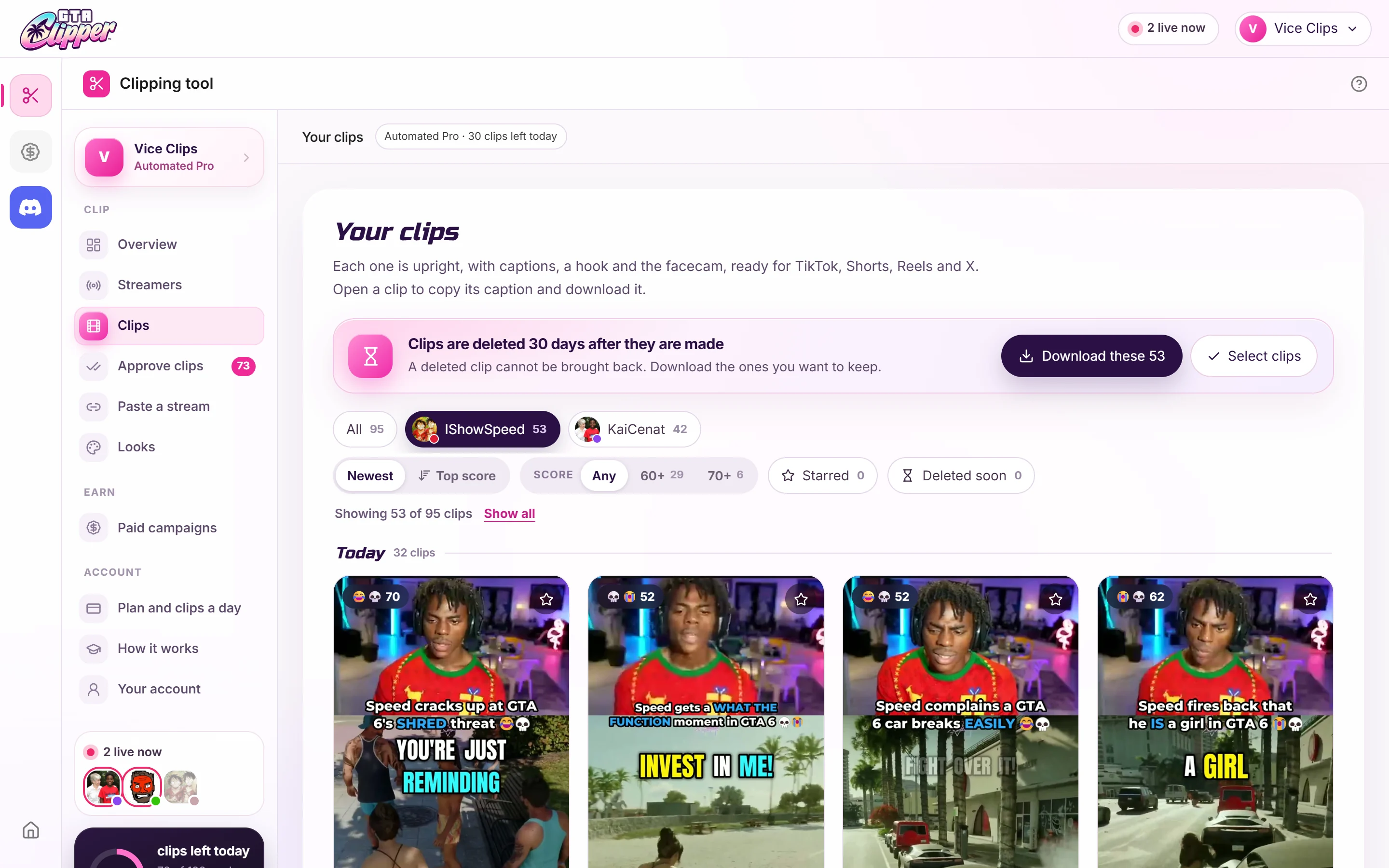
Open a clip, copy its caption and download it. Post it to your channels, and to a campaign if it fits one: our paid GTA 6 clipping campaigns page lists what is open.
Watches streams on
Twitch Kick
 YouTube
Makes clips for
TikTokYouTube ShortsInstagram ReelsX (Twitter)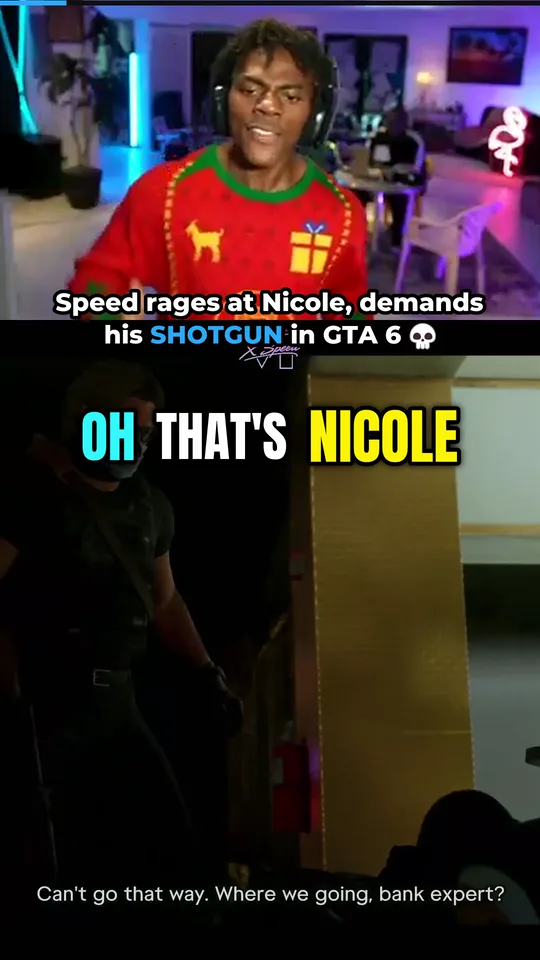
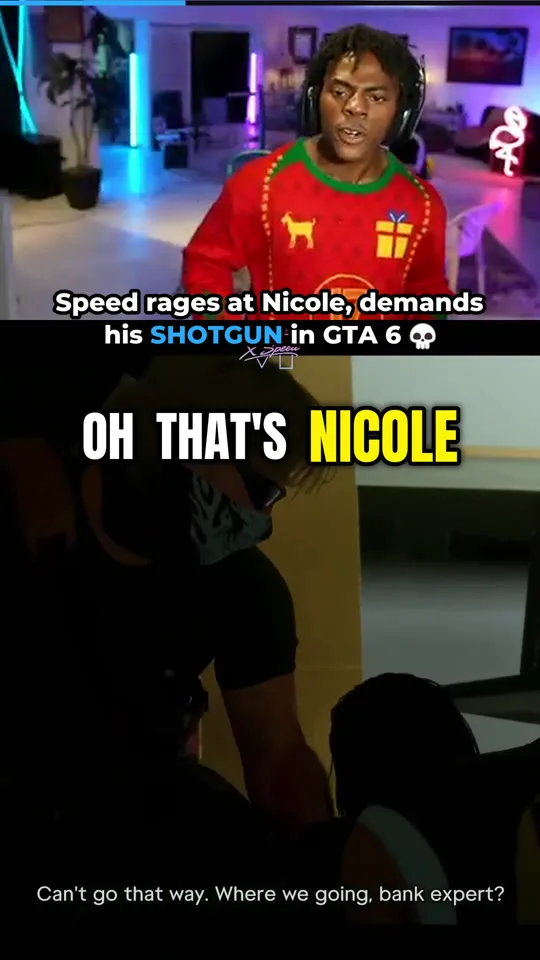
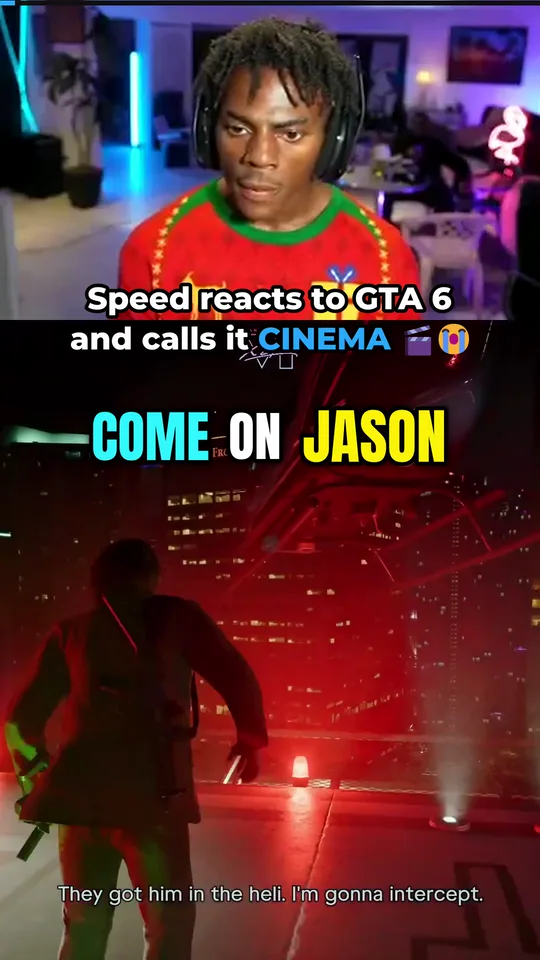
Speed loses it at Nicole in GTA 6, then the shotgun demand gets patriotic 💀
#gta #gta6 #ishowspeed #speed #gamingWhat the GTA 6 clip maker
puts in every clip.
A clip is finished when it reaches you. This one is real: the tool made it from IShowSpeed's GTA 6 stream.
- 1Upright, the size feeds want
Every clip is 9:16, the shape TikTok, YouTube Shorts, Instagram Reels and X show full screen.
- 2Captions, word by word
What is said is written on screen as it is said, with the spoken word lit up.
- 3A hook at the top
A short line that tells a stranger why to keep watching. You get four to choose from, or write your own.
- 4The facecam, found for you
The streamer's camera is found in each clip and put above the gameplay. No camera on screen means a full-screen clip.
- 5A score out of 100
Each clip is scored on its hook, its payoff, its energy and whether it makes sense alone, so you know which to post first.
- 6A caption ready to paste
A written caption and hashtags come with the clip. One tap copies them.
Automated clipping
vs manual clipping.
The Automated plans clip while the stream is live. The Manual plan clips a stream or long video you paste. Doing it by hand is the third way.
| Compare | AutomatedReal-time clipping | ManualPaste a stream or video | By handIn a video editor |
|---|---|---|---|
| When the clip is ready | Minutes after the moment, while the stream is still live | After the stream has ended and been worked through | After you have watched the stream and edited the clip |
| What you do | Pick your streamers once | Paste a link for each stream | Watch, find the moment, cut it, caption it |
| Streams covered at once | 1, 5 or 20, by plan | One at a time | One at a time |
| Who watches the stream | We do, live | We do, afterwards | You do |
| Best for | Posting first on live moments | Old streams, videos and podcasts | Full control over one edit |
AutomatedReal-time clipping
- When the clip is ready
- Minutes after the moment, while the stream is still live
- What you do
- Pick your streamers once
- Streams covered at once
- 1, 5 or 20, by plan
- Who watches the stream
- We do, live
- Best for
- Posting first on live moments
ManualPaste a stream or video
- When the clip is ready
- After the stream has ended and been worked through
- What you do
- Paste a link for each stream
- Streams covered at once
- One at a time
- Who watches the stream
- We do, afterwards
- Best for
- Old streams, videos and podcasts
By handIn a video editor
- When the clip is ready
- After you have watched the stream and edited the clip
- What you do
- Watch, find the moment, cut it, caption it
- Streams covered at once
- One at a time
- Who watches the stream
- You do
- Best for
- Full control over one edit
 GTA ClipperLive
 The momentKai, live on GTA 6
- Clip readyCaptions, hook and facecam
- You post itWhile the stream is still live
- The momentSame stream, same second
- Wait for the stream to endKai was still live 6 hours later
- Paste the link, wait againThe whole video has to be read
- Clip readyAfter other clippers have posted it
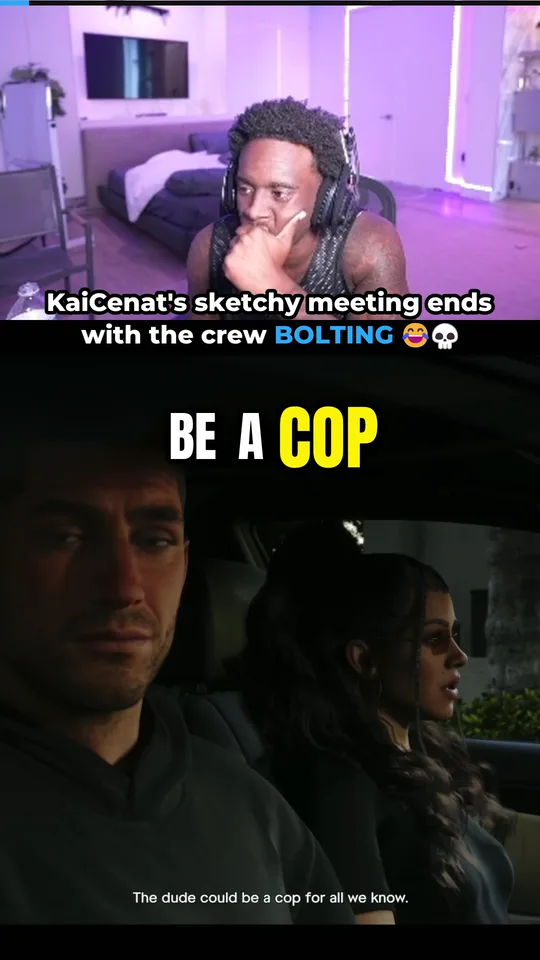
A real moment from Kai Cenat's GTA 6 stream on 19 November 2026. The clip was ready 3 min 8 s after it happened, and Kai was still live six hours later.
A stream clipper for Twitch,
Kick and YouTube.
The tool listens to what is said and how the moment builds, so it does not depend on the game. Use it for GTA 6, GTA 6 roleplay, FiveM and GTA RP servers, GTA Online and GTA 5, and for any other game, IRL streams, podcasts and Just Chatting.
 Kai CenatLive · being clipped
Pick from 53 big streamers, or paste any Twitch, Kick or YouTube channel
Kai CenatDuke Dennis Agent 00
 Fanum
 ChrisNxtDoorLacy
 StableRonaldo
 JasonTheWeen
 Adapt
 Marlon
 SilkyIShowSpeed
 N3onxQc
 TheBurntPeanut
 Jynxzi
 CaseOh
 ClixAdin Ross
 Ludwig
 Typical Gamer
 PlaqueBoyMax
 Rakai
 Ray
 DDG
 YourRAGE
 Sketch
 Kaysan
 ExtraEmily
 Cinna
 Emiru
 summit1g
 Asmongold
 shroud
 TimTheTatman
 NICKMERCS
 Tfue
 Tyler1
 MoistCr1TiKaL
 HasanAbi
 Sodapoppin
 LIRIK
 Tarik
 Squeex
 garydavid
 Trainwreckstv
 BruceDropEmOff
 Cuffem
 Jack Doherty
 Ice Poseidon
 Clavicular
 sweatergxd
 SHNAGGYHOSE
One honest note. YouTube sometimes refuses to let a live stream be recorded. When that happens the tool waits and tries again by itself, and tells you so in your dashboard.
Who uses the
GTA 6 clipping tool.
Clippers
Post more clips, sooner, from more streamers than you could ever watch. Then enter them in campaigns that pay per 1,000 views.
How to become a GTA 6 clipper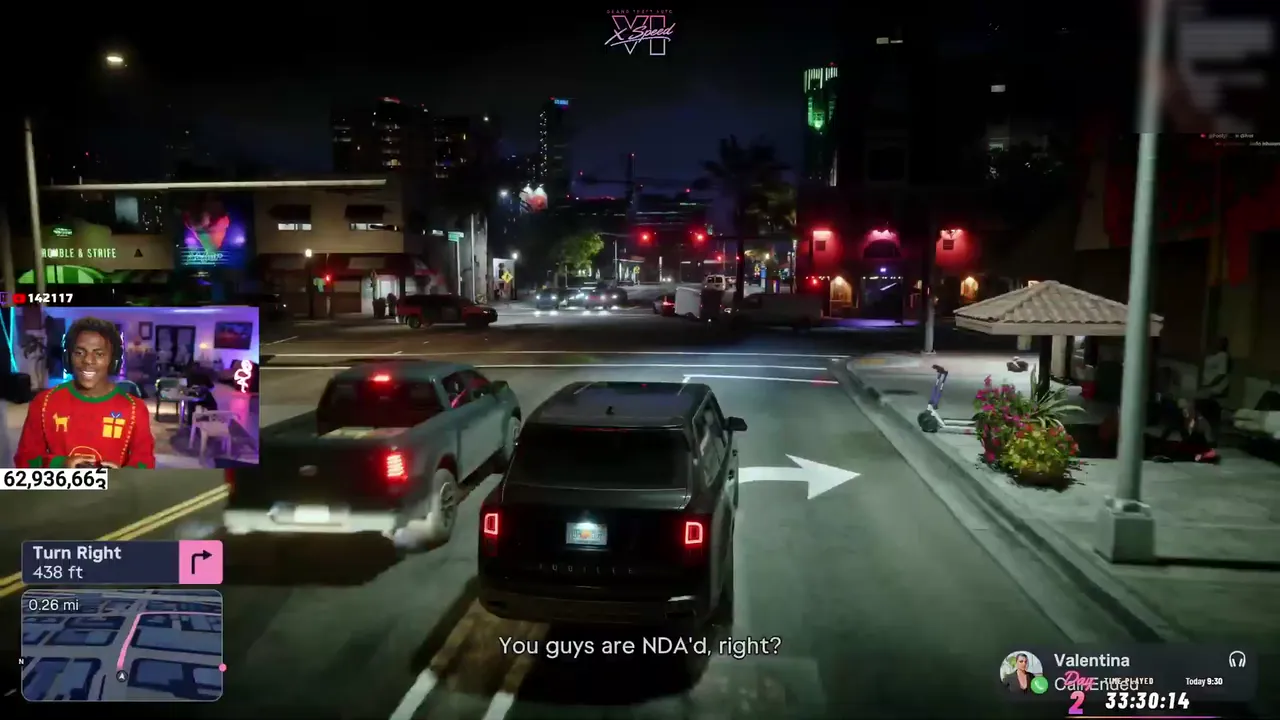
Streamers
Have your own streams clipped while you are live, ready for your TikTok, Shorts and Reels before you have even ended the stream.
Clipping for streamers- Campaign fee · 20%
- $200
- Planning total
- $1,200
Brands and agencies
Want other people to clip your content at scale? A clipping campaign pays clippers for approved views. We plan it and run it.
Launch a clipping campaignGTA 6 clipping tool
plans from $15 a month.
Pick by how many streamers you want watched and how many clips you want each day.
1 streamer from our list and 5 clips a day. A card is needed. After 3 days it becomes Automated at $49 a month unless you cancel first, and cancelling takes one click.
Manual
Paste a stream or any long video and get its best clips.
- 10 clips a day
- Paste 20 hours of video a month
- Captions, a hook and the facecam
Automated
1 streamer watched liveWe watch 1 streamer live and make the clips for you.
- 25 clips a day
- 1 streamer watched live
- 20 pasted hours a month
Automated Pro
5 streamers watched liveWe watch 5 streamers at once.
- 100 clips a day
- 5 streamers watched live
- 40 pasted hours a month
- Auto-posting to TikTok, Shorts and ReelsComing soon
Automated MAX
+1420 streamers watched liveWe watch 20 streamers at once.
- 300 clips a day
- 20 streamers watched live
- 80 pasted hours a month
- Auto-posting to TikTok, Shorts and ReelsComing soon
Launch prices are for the first 100 members. Your price stays the same for as long as you keep your plan. Clips are kept for 30 days, so download the ones you want. See what each plan gives.
GTA 6 clipping tool FAQs
How it finds moments, what you can change, and what you are allowed to post.
Clipping campaign FAQsHow does the clipping tool find the best moments?
It turns what is said on the stream into text and reads it a few minutes at a time. It looks for moments that make sense without the rest of the stream: a shock, a joke, a win, a fail, an argument. Each moment gets a score out of 100, and weak ones are dropped before a clip is made.
Is there a trial?
Yes. You can try the Automated plan for 3 days for $1, with 1 streamer from our list and 5 clips a day. A card is needed to start it. If you cancel within the 3 days the plan is never charged and the tool stops straight away. If you do not cancel, it becomes the paid Automated plan when the 3 days are up.
Can I change a clip after it is made?
Yes, for as long as the clip is kept, which is 30 days. You can pick another hook or write your own, switch to another look, and download a copy without captions to add your own text.
How long are my clips kept?
For 30 days after they are made. After that they are deleted and cannot be brought back, so download the ones you want to keep. Each clip shows how many days it has left.
What happens when my clips for the day are used up?
The tool stops making clips until the next day, unless you have a clip pack. A pack is extra clips you buy once, from $7 for 50, and they are used after your own clips for the day run out. You can also set how many clips a day each streamer may use, and how fast they may come, so one long stream does not use up your whole day in the first hour.
Can the clipping tool post to TikTok, Shorts and Reels by itself?
That is coming soon, first for the Automated Pro and Automated MAX plans. For now each clip comes with a caption and hashtags you can copy in one tap, and you post it from your own phone or computer.
Am I allowed to post clips of someone else's stream?
That depends on the streamer and the platform. Many streamers welcome clips, and some pay for them through clipping campaigns. Check the streamer's own rules or the campaign brief before you post, and credit the streamer.
Do I need to install anything?
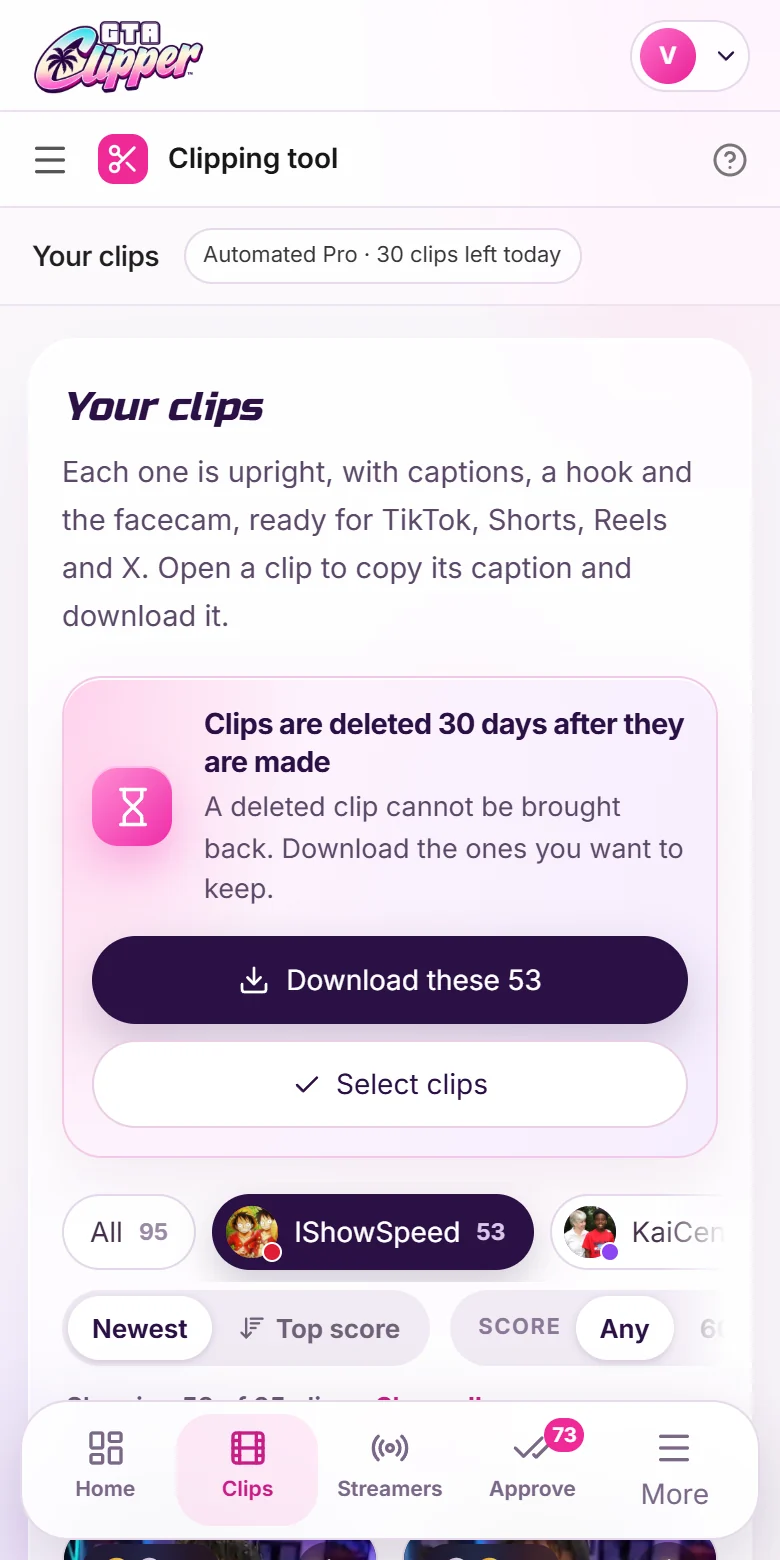
No. You use the tool in your browser, on a computer or a phone. The watching and the clip making happen on our side.
How do I get help with the clipping tool?
Join our Discord and open a ticket. A person from the team answers you there, about anything from a payment to a clip that did not come out right.